October 18 2025 New Level Blocking
Welcome
Hello! I am back with a major update. This update includes a new level block out , new blueprints and items, and updates to previous blueprints. We have officially hit the halfway point for the semester. The new level is part of my midterm project in which I was tasked with creating a block out of a new level.
Design Choices
Level Layout
The first choice I had to make was about the layout of the level. Did I want it to be a small alley way with nooks and crannies to hide in or did I want it to be much more open with more of a risk for being caught or did I want something in between? I decided that I would create a midsized house with furniture that would allow the player to hide yet was large enough to make it more challenging for the player to not get caught. After making this decision the next step was to draw a 2D version to help visualize my thoughts.
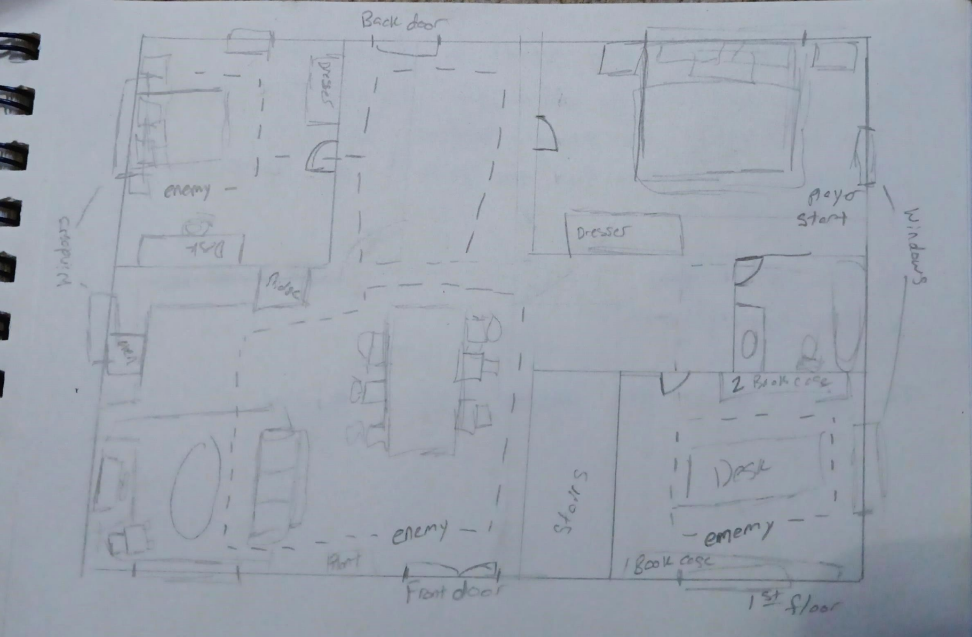
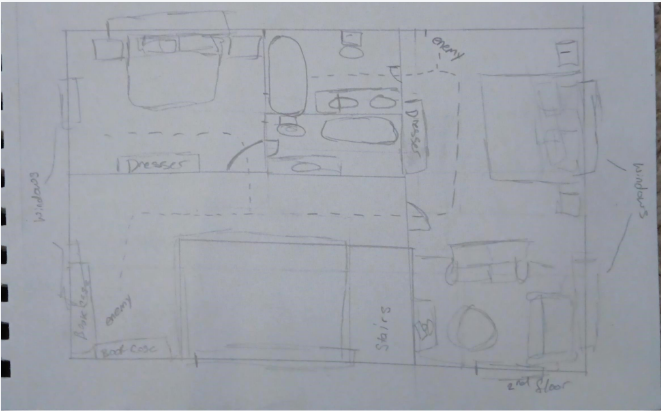
I decided that the house should be two stories. This made more places for the player to explore. I started with two boxes that were roughly the same size. The first box represented the first/ground floor. The second box represented the second floor. I then separated each floor into different spaces to act as rooms. While designing the rooms I tried to think about what a real room would look like and what would be included. I also tried to place the doors in locations that made sense. For example it didn't make sense to have a hallway without any doors connecting it to other rooms. I also wanted to design the second floor so that the player could look down to the first floor. I added this area by the stairs and created a small book nook on the other side.
The next step was to plan where the items and enemies should be. I decided that the player would start in a first floor bedroom beside the window as if they had just broken into the house through the window. I then decided to place a book that the player was trying to retrieve inside of the office on the first floor. However this by itself would not be challenging, even if there were constant enemy patrols. I decided to make the door to the office locked with the key being hidden inside of the primary bedroom. I then decided to have enemies patrol areas in which the player would have to move through to add more of a challenge. I then decided that the doors leading to the outside should be locked. I then hid a key to the outside in the other bedroom on the second floor.
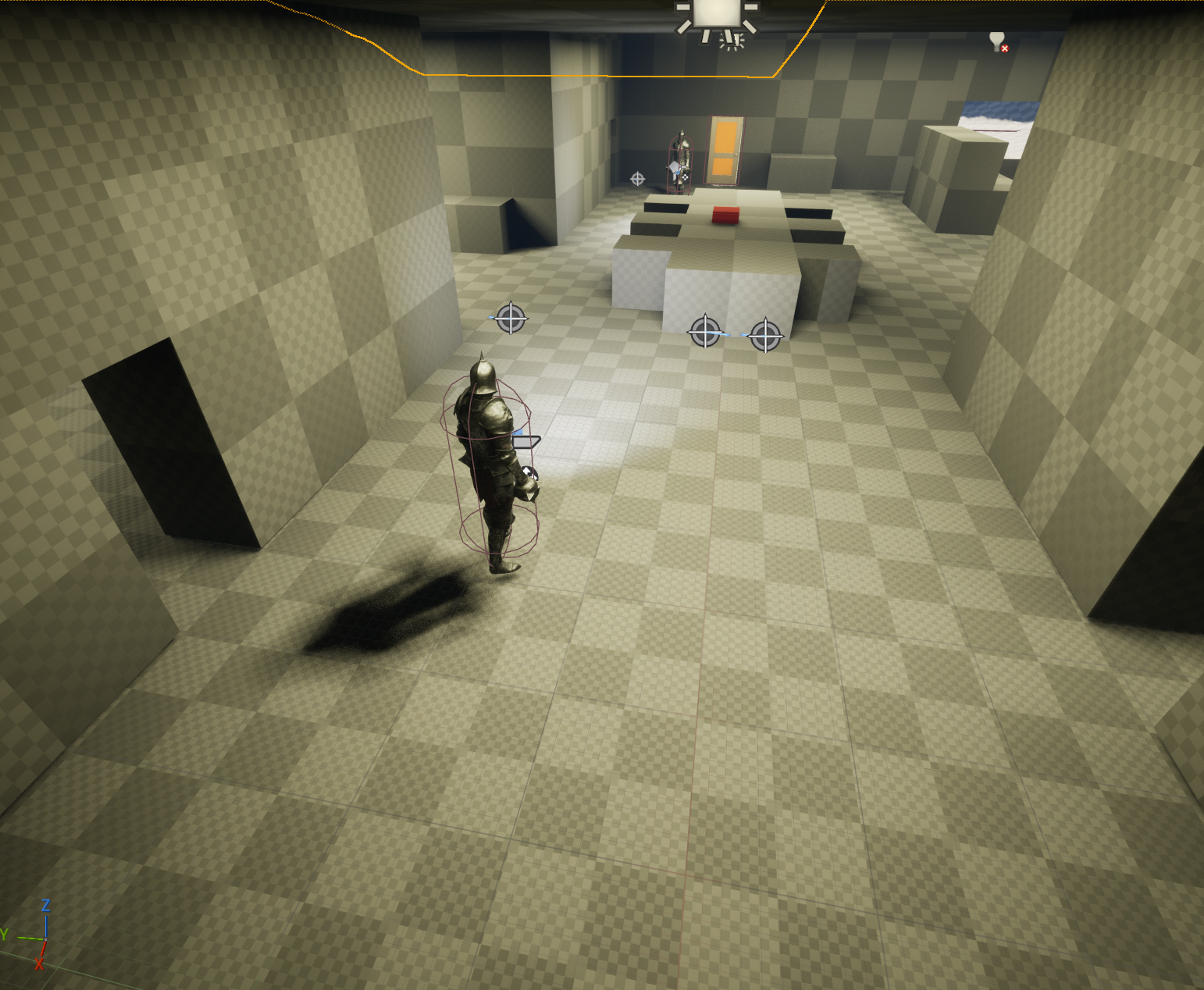
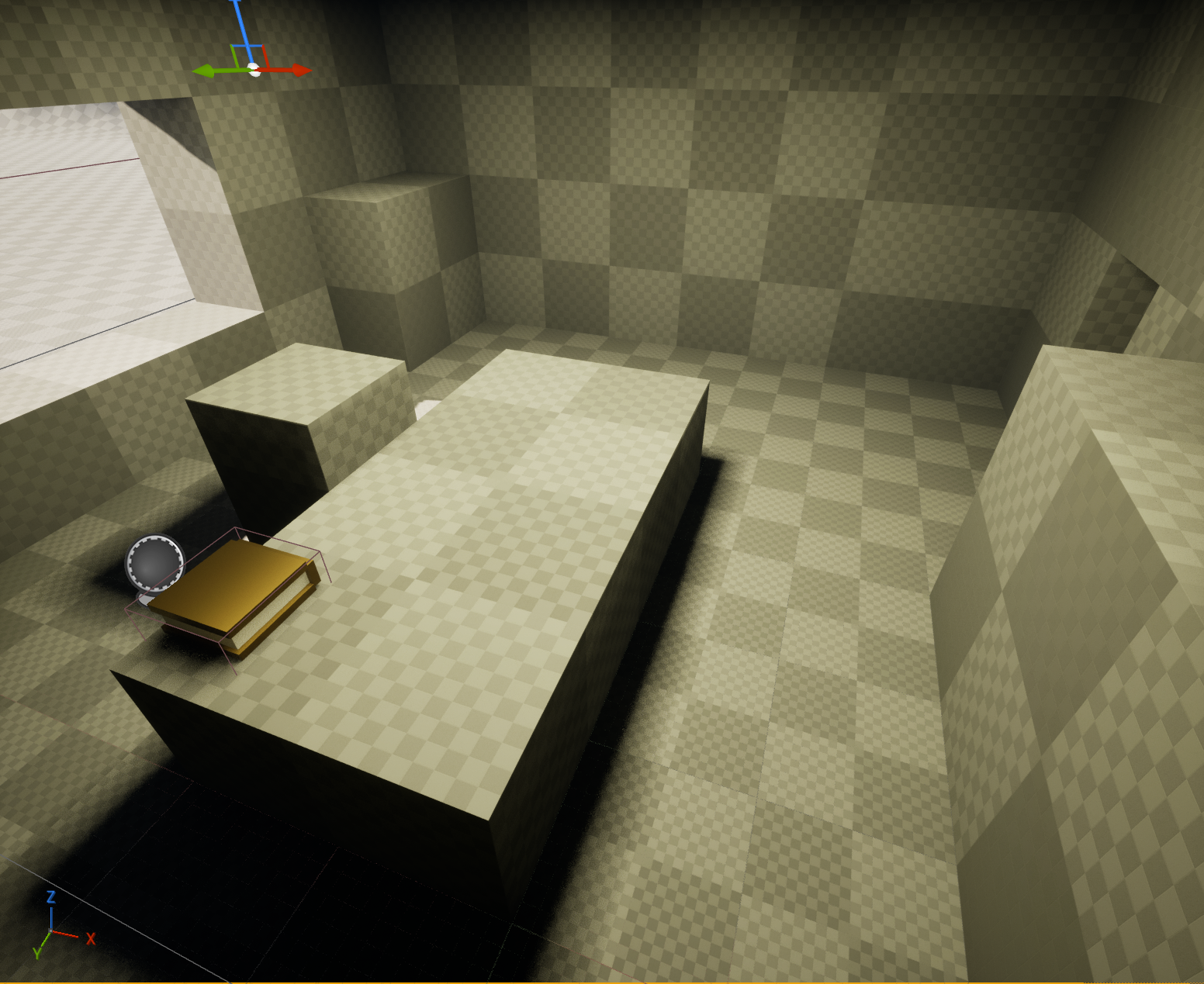
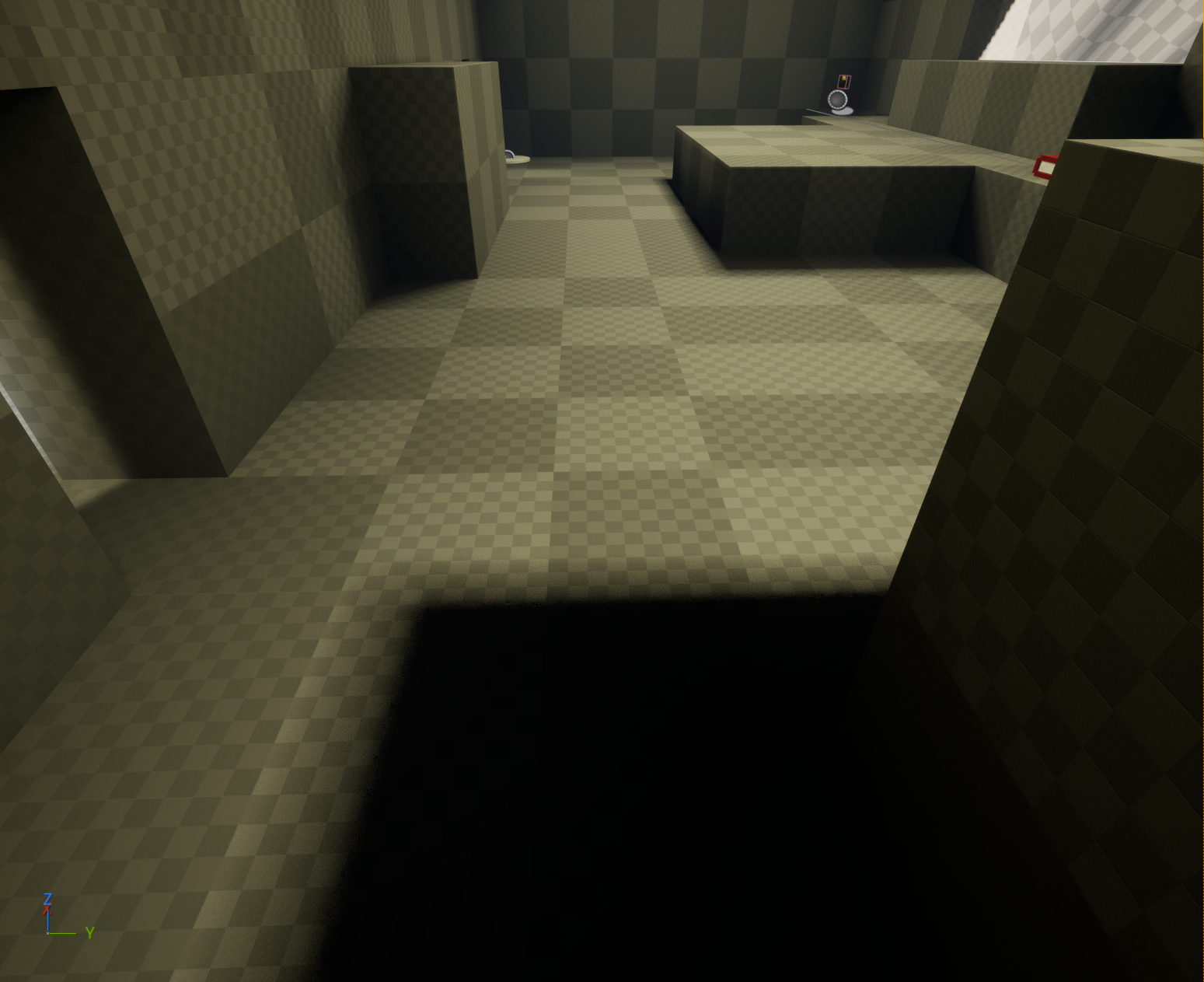
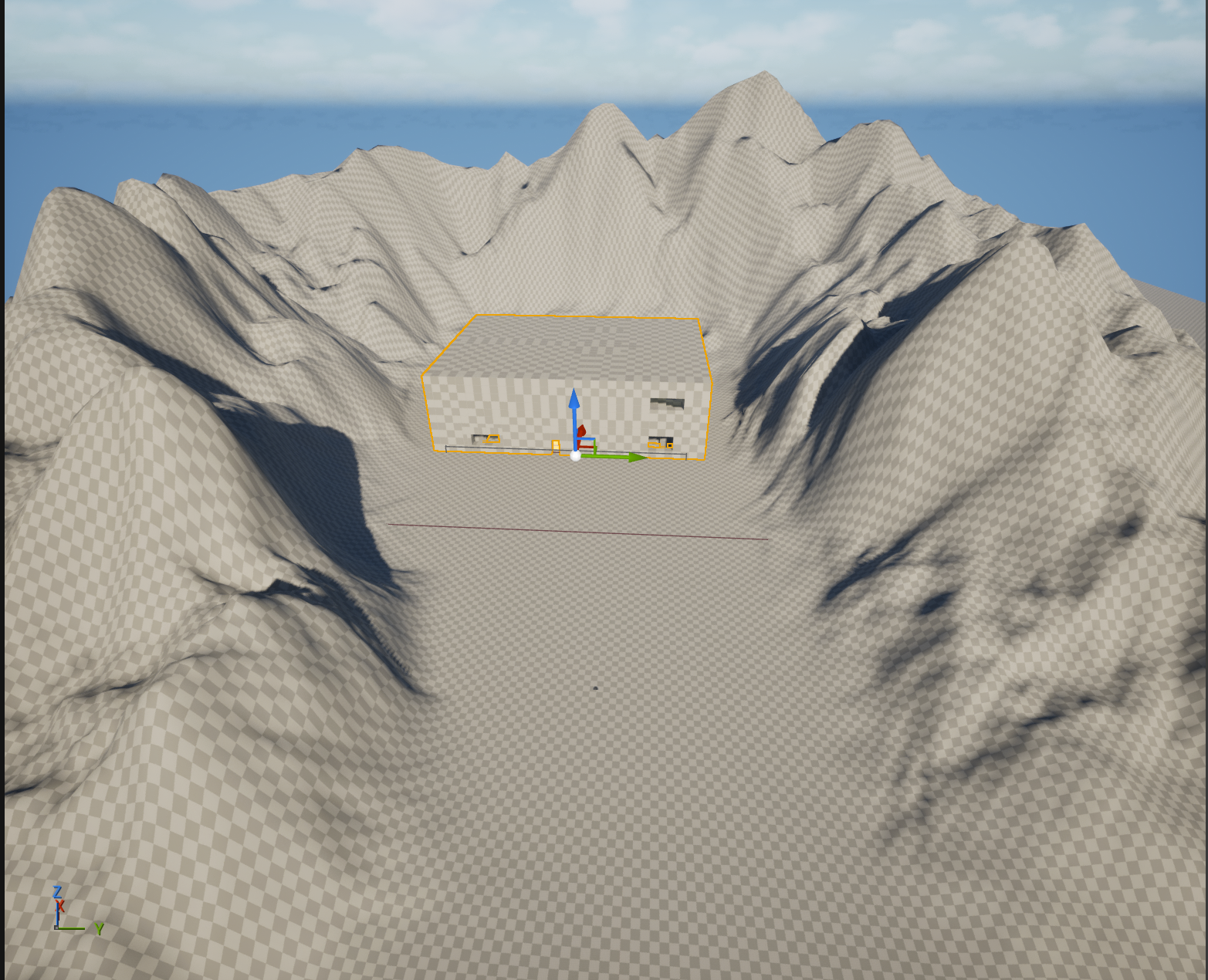
After I was happy with my 2D design I then had to replicate it in the level. I did this using a tool that Unreal Engine has called Cube Grid. Using this tool I was able to create a general sense of the level layout. i could run around the level and adjust different things so that it felt the way I wanted it to. This also made it so that I could easily use the exact same house in a future level if I wanted.
While I was creating this layout I was also thinking about the lighting. I initially wanted it to feel like the player was sneaking into the house in the middle of the night. I later changed this because after adding the landscaping the house was too dark. Another thing that was changed later was the enemies patrol paths. I decided to add a checkpoint in the primary bedroom. This allows the player to save their place after they get the keys. After making this decision I wanted the bedroom to be a safe space for the player. In order to do this I had to adjust the patrol path of the enemy that was supposed to patrol the bedroom. I changed it so that the enemy will walk along the hallway by the stairs instead. This allowed the player to save without needing to worry about being "spawn camped" when they respawned at the checkpoint. This also creates a sense of relief for the player. I also made it so that the bedroom where the player starts is a safe space.
GDD
I was given a GDD to use to guide me as I built my level. This GDD included a Level Design Document and a document that detailed the Player Character Mechanics. Using the Player Character Mechanics Document I was able to find the gameplay loop. In this loop the player is sneaking when they are not detected by the enemy and it switches to fleeing when the player is detected by the enemy. The player must then either hide or make the enemy lose sight of them in order to switch back to the sneaking state. Keeping this loop in mind I was able to place furniture in the level layout to provide options for hiding and for breaking the enemy's line of sight.
The Player Character Mechanics Document also outlined a handful of mechanics that were necessary for the game. These included picking up and throwing items, crouching, and dashing. The items allowed the player to distract the enemy allowing the player to avoid being detected by the enemies. Picking up items also allows the player to collect items that are needed for completion of the level. The crouch mechanic allows the player to use shorter cover such as the dinning table. The dash mechanic allows the player to quickly move allowing them to either quickly move to new cover or get out of an enemy's line of sight.
The Level Design Document detail important things to keep in mind while designing the level. This including using this like shadows and corners to ensure the player felt stealthy. It listed things to help keep the emersion such as making sure the cover was natural and made sense in the level.
I was able to use both of the documents to establish a baseline for how the level should function. It also allowed me to make changes to the level while ensuring I didn't lose the important aspects that made it enjoyable and more believable. I was also able to use these to make the player feel specific emotions such as tension, relief, and curiosity. I wanted the player to feel tension and this is done through the enemy patrolling and through the amount of damage the enemies do. This is also enhanced with the lighting inside of the house. To go with the tension I wanted to ensure there were areas in which the tension could be dissipated. This allows the player a chance to relax before continuing ensuring that the player has fun and feels relief. This is also important because areas of relief help the tension hit the way it should. It allows for the high tension moments to feel like they are high tension where if there were not any areas of relief the player would get used to the feeling of the tension and make the high tension moments less impactful. These areas can be found in the room with the check point and the room where the player spawns. I wanted the player to be curious and explore the level. This is part of the reason for the house being midsized. This allows the player to have room to explore while keeping it to a manageable level.
Blueprints
Player Character
New Skin
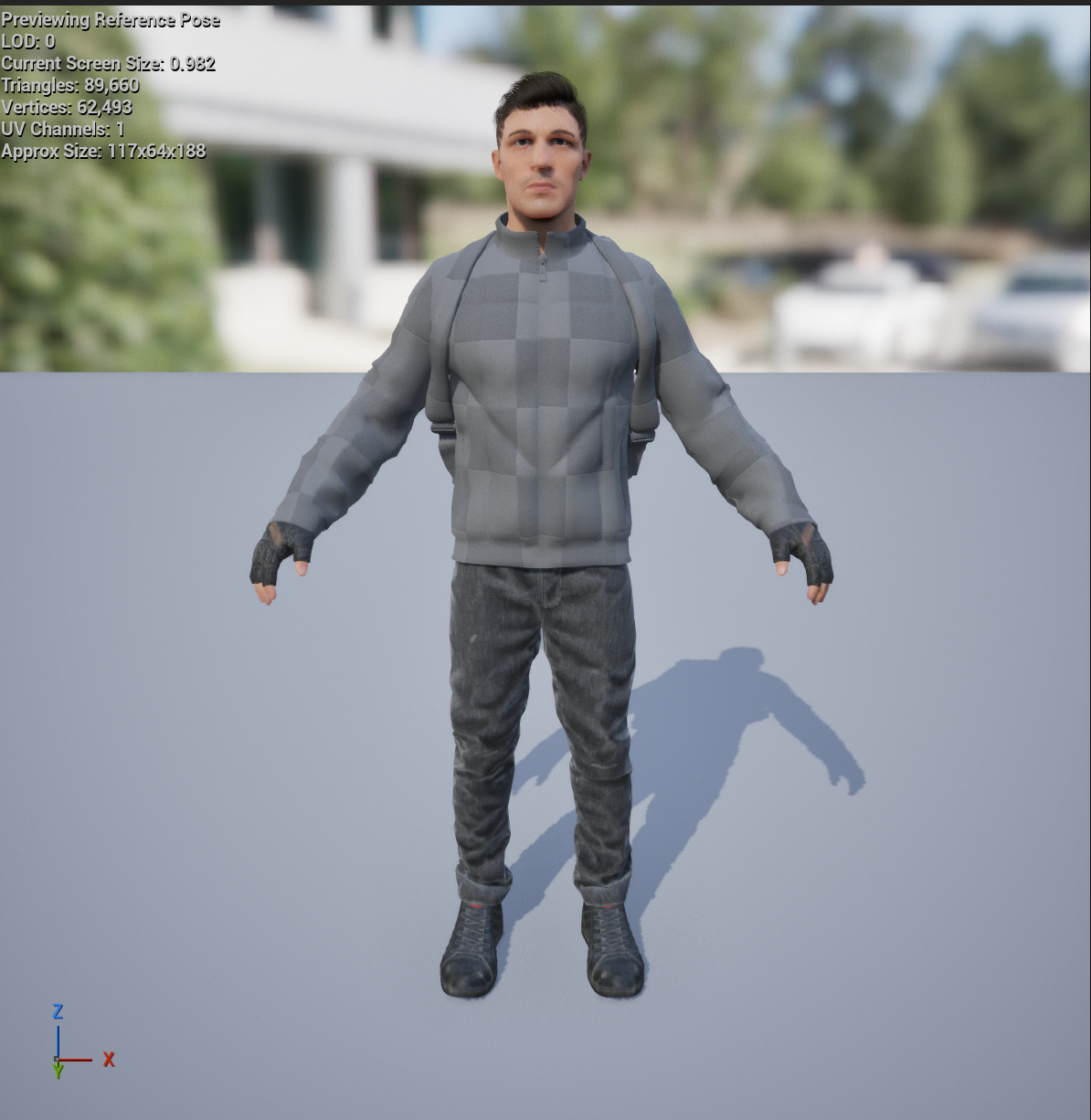
The first thing I changed with the player character was the look of the character. I decided to use the Survival Character made by Arberry. This change was very easy to do. I imported it into the game and then changed the mesh for the player character to be the survival character. I picked this mesh because originally my idea for the game was for the player to play as a father searching for his young lost daughter. I also felt like this mesh made more sense in the world than other meshes I found.
Crouch
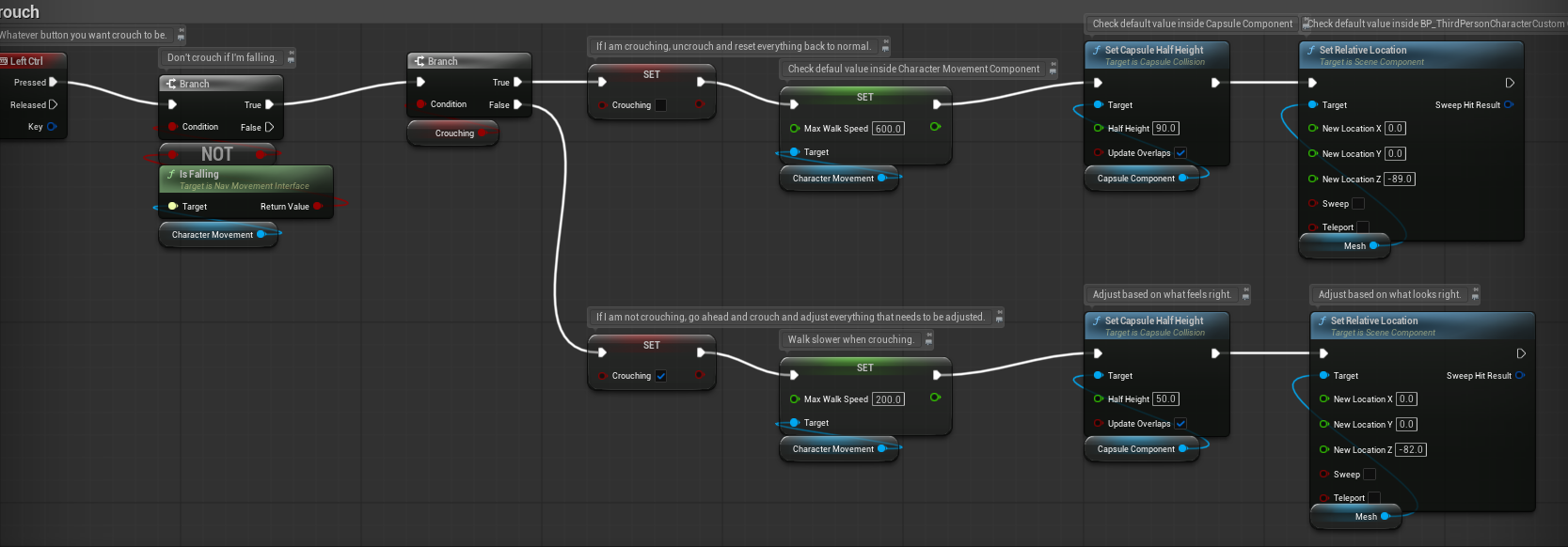
The player must press the left control button on a keyboard in order to crouch. The couch is built using the left control button node and when it is pressed it checks if the player is falling. If not it checks if the player is already crouching. If the player is crouching I set a Boolean variable called bcrouching to false and set walking speed back to 600 and set the capsule component back to it's normal location. If the player is not already crouching bcrouching is set to true, walking speed is reduced to 200, and the capsule component is lowered. This mechanic is important because it allows the player to decide if the want to try moving through the level more sneakily with the trade off that they are slower. It also allows for more places to hide.
Dash
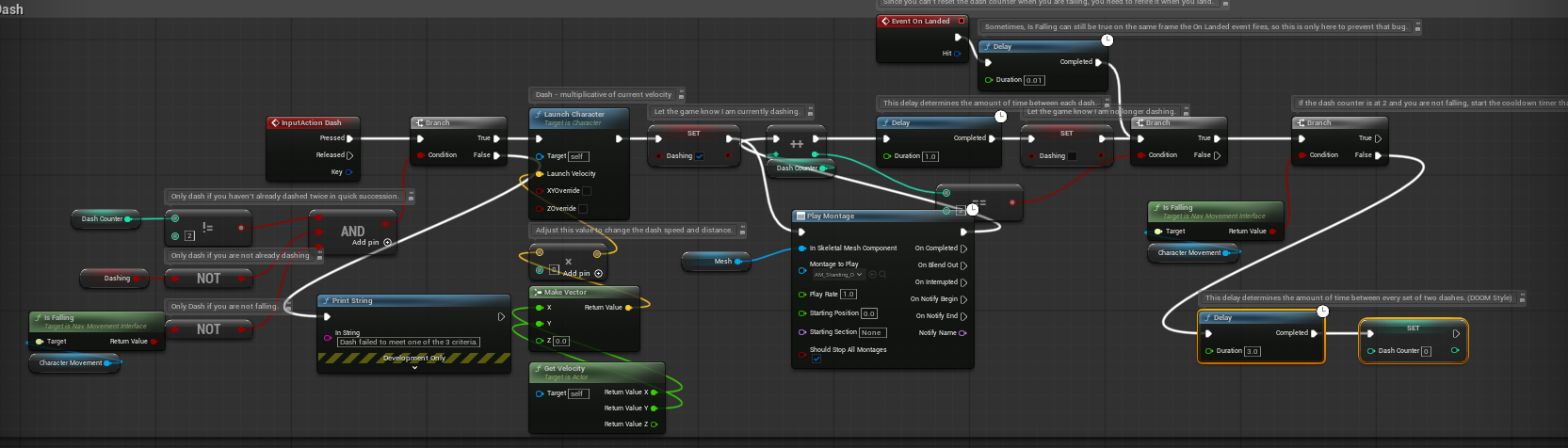
The player must press the left shift button in order to dash. The dash is built using a similar key pressed node as crouch. It then checks if the player has dashed in quick succession, is currently dashing, and if the player is falling. If all three are true then the player is launched forwards and the dashing variable is set to true. The game then plays the dashing animation and increments the dash counter. After a short delay the dashing variable is set to false. The game then checks the dash counter and starts a longer delay if the dash counter is at two. After the delay the dash counter is reset to zero. This mechanic is important because it allows the player to quickly move to or from cover or to get out of sight of an enemy.
Throw
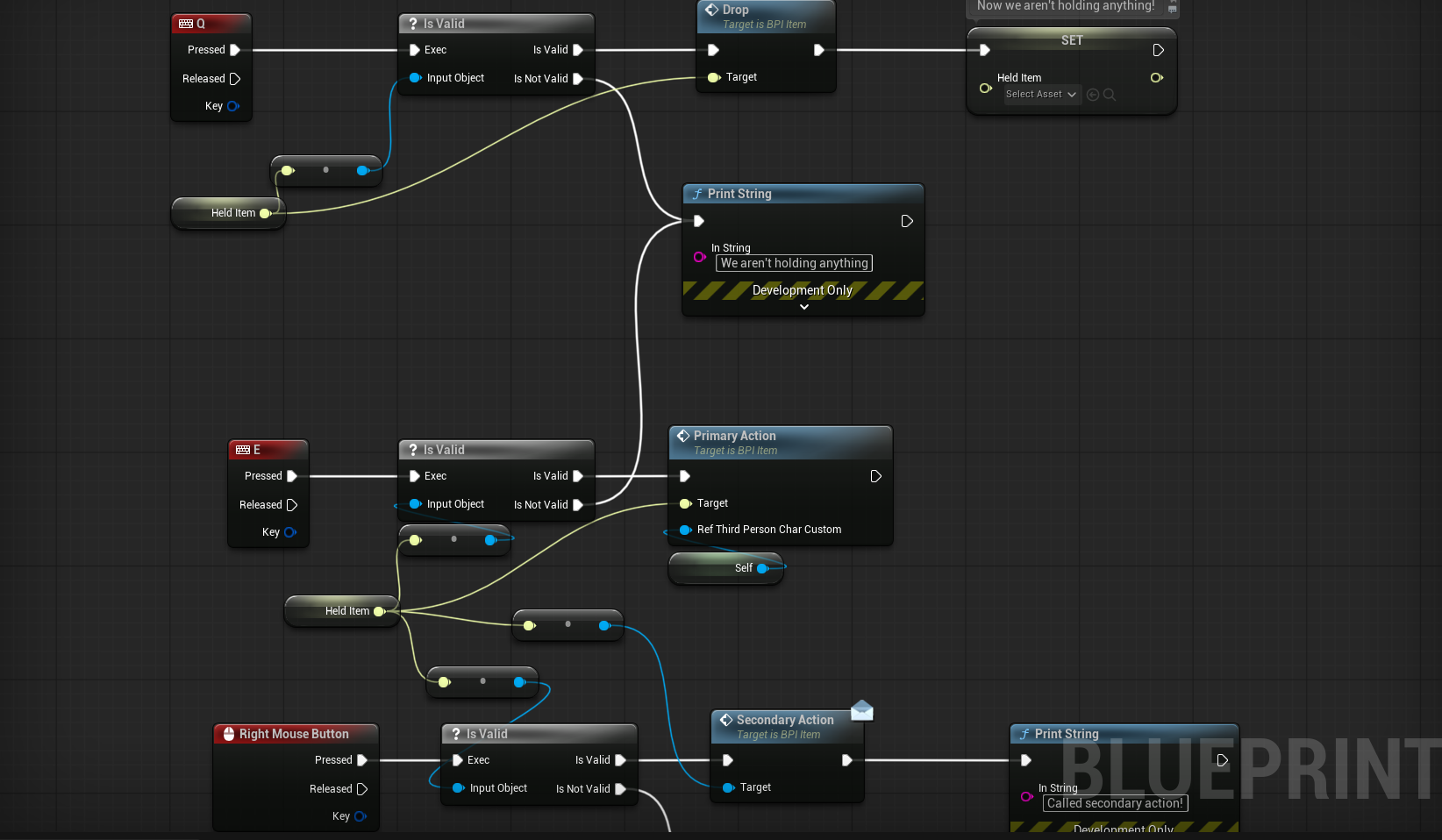
The throw mechanic was already a part of the game from the base we were given from Brian Foster. I changed the button which activated the throw and added an animation. The button was changed from the left mouse button to e so that it did not interfere with another action. This mechanic is important because it allows the player to distract the enemies away from where the player needs to go.
Attack and Health System
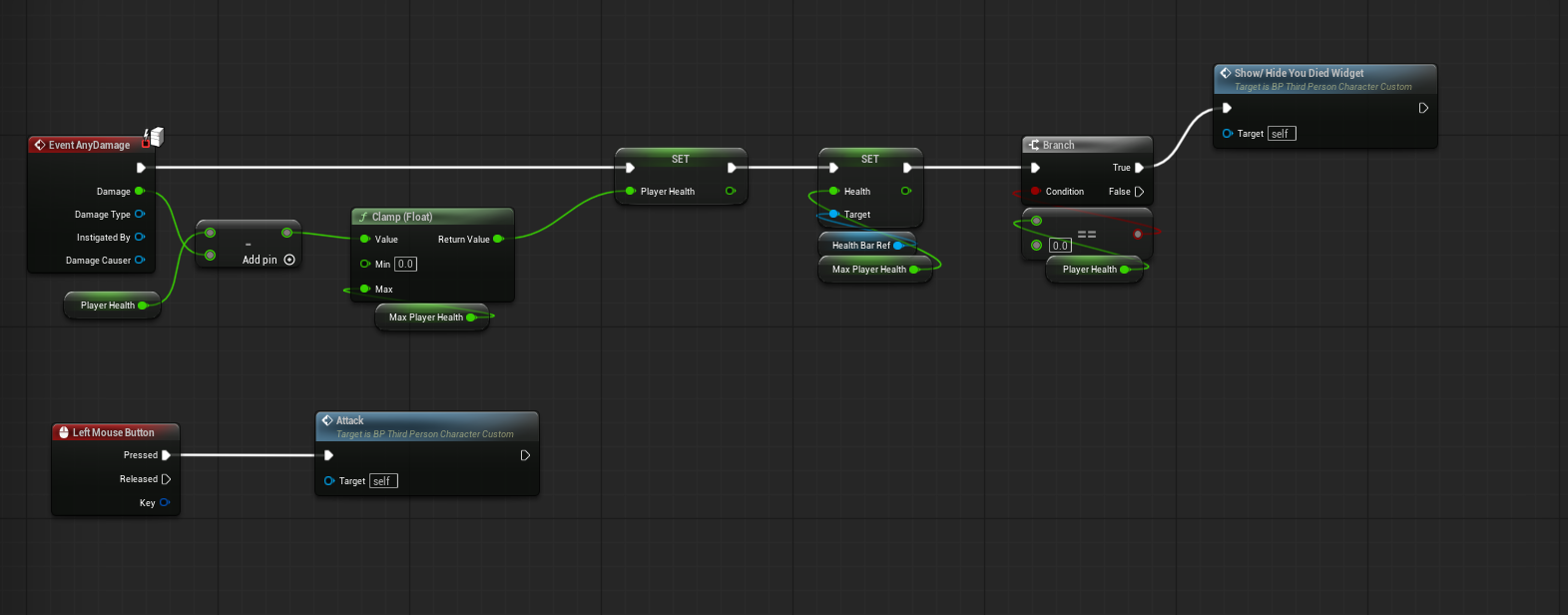
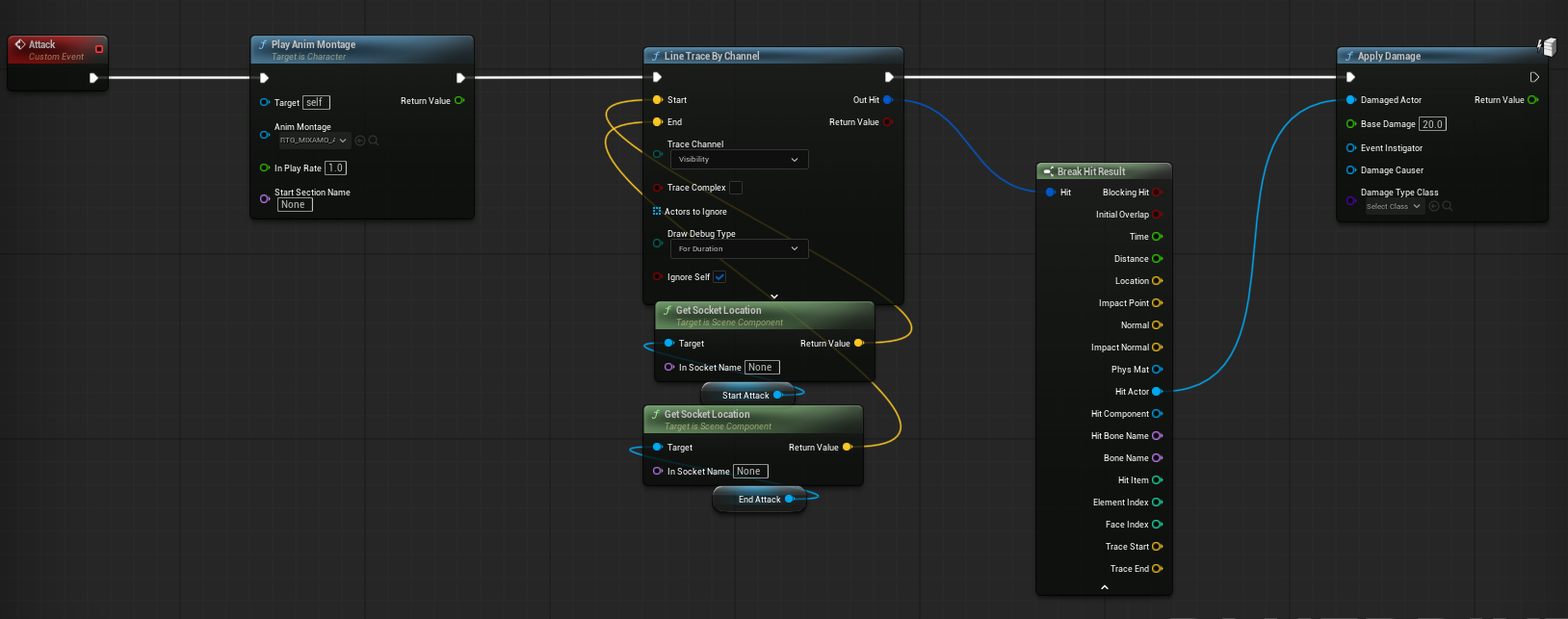
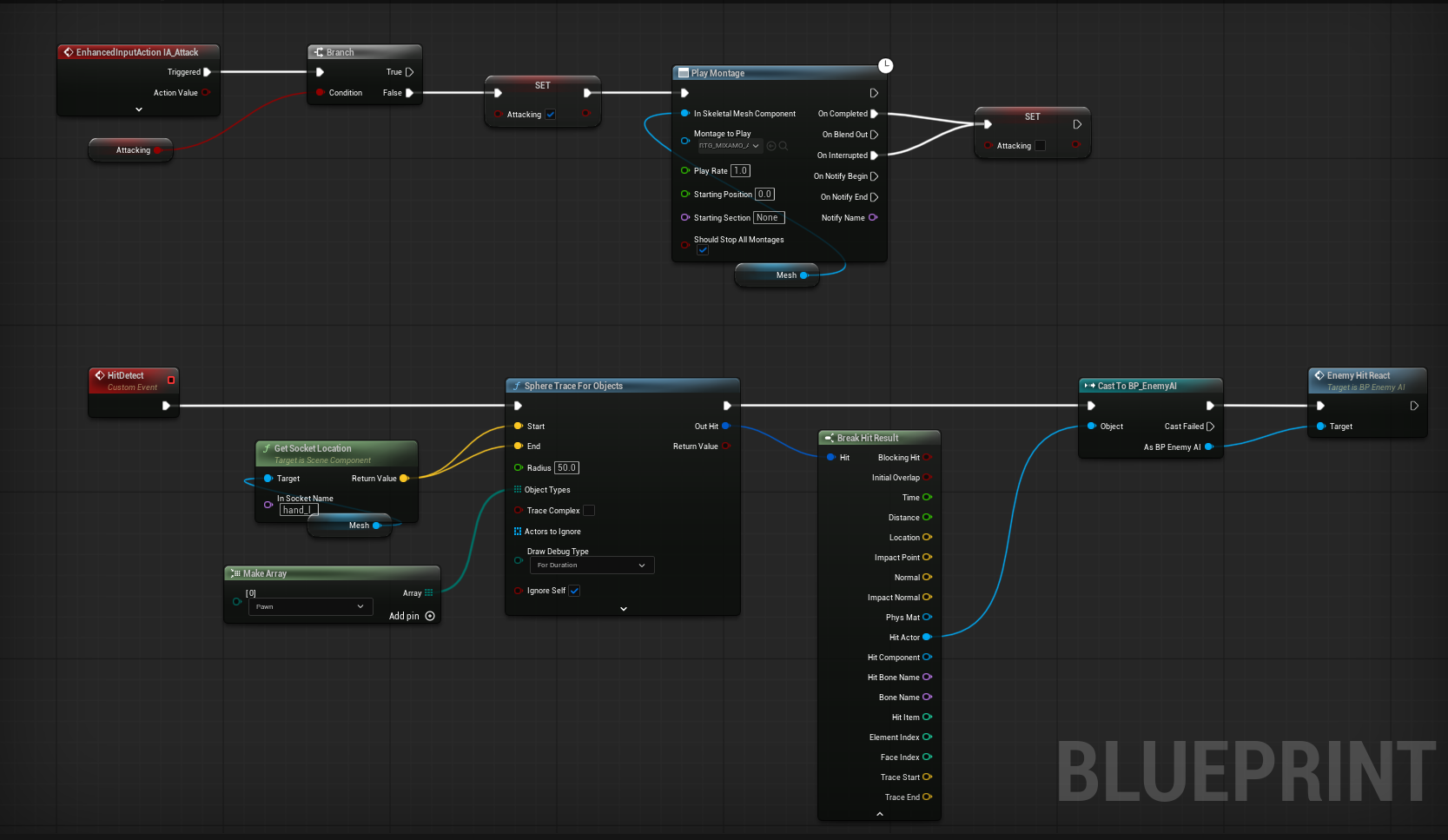
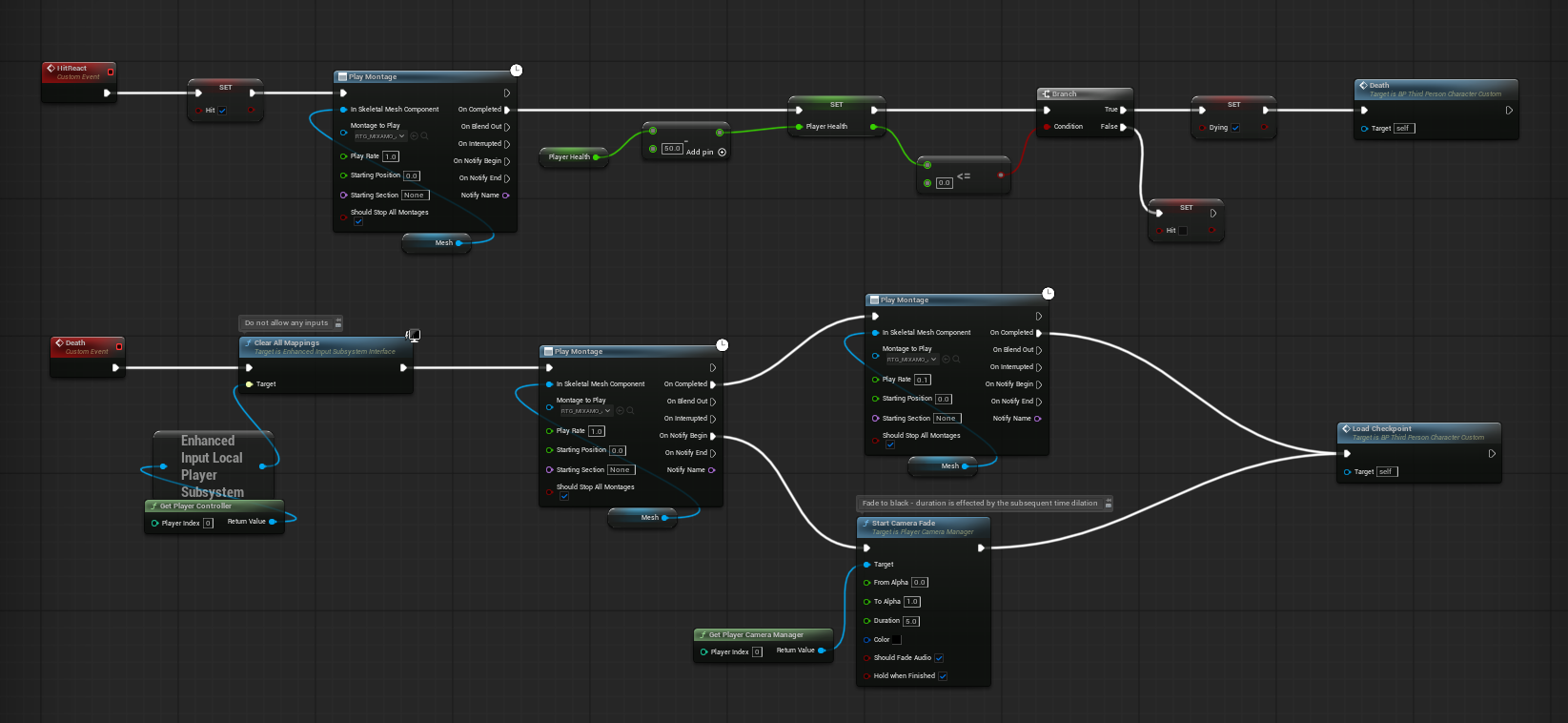
I created a widget that shows a health bar at the bottom of the screen. It uses a progress bar so that when the character is damaged the health bar updates with the new health. I then used the event any damage node to display the health bar. I then created an attack. This is activated when the left mouse button is clicked. It then checks if the player is attacking. If not the variable is set to true and the attack animation is played as a sphere is created around the hand. If an enemy is within the sphere an event in the enemy blueprint is called where it plays an animation of the enemy being hit and the enemy takes damage. It then checks to see if the enemy's health is zero or lower and if so it plays an animation for the enemy's death and destroys the actor. The player character has a similar event however instead of just playing the death animation and destroying the actor it calls a new event called death. In this event it makes it so that the player cannot move and plays the death animation. It then fades the camera to black and loads the last checkpoint. This system is important because it allows the player to take several hits from an enemy before they die which can help build the tension. It is also important because it gives the player a choice of either being offensive and fighting the enemies or to sneak through the level.
Saves
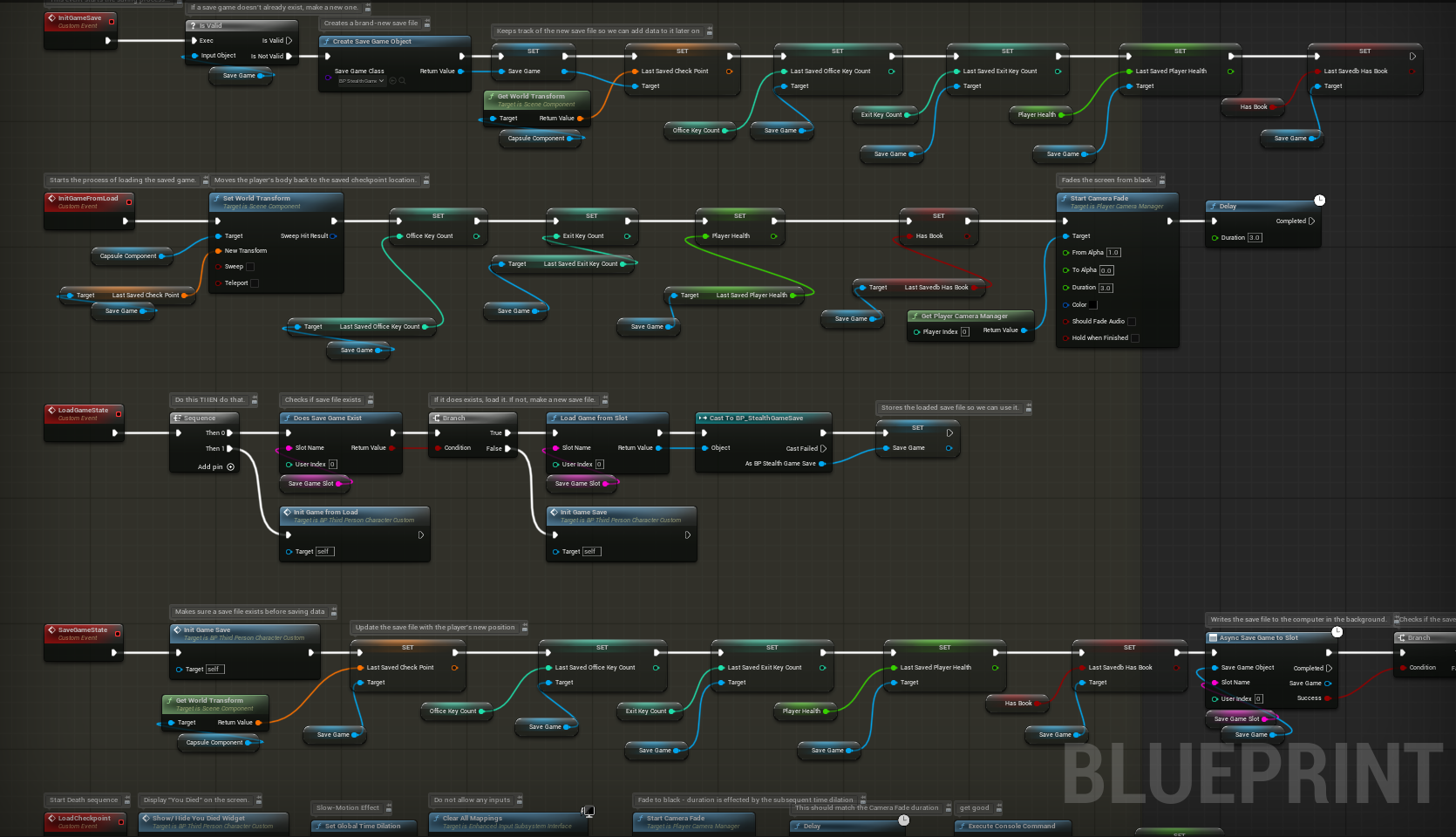
I updated the save system so that it keeps track of the new variables associated with the player character such as the office and exit key counts, player health, and if they have the book which is needed to leave the house. This system is important because it relieves some of the tension. If the player saves with the items and then dies they would respawn at the checkpoint and do not need to get the items again.
Enemy AI
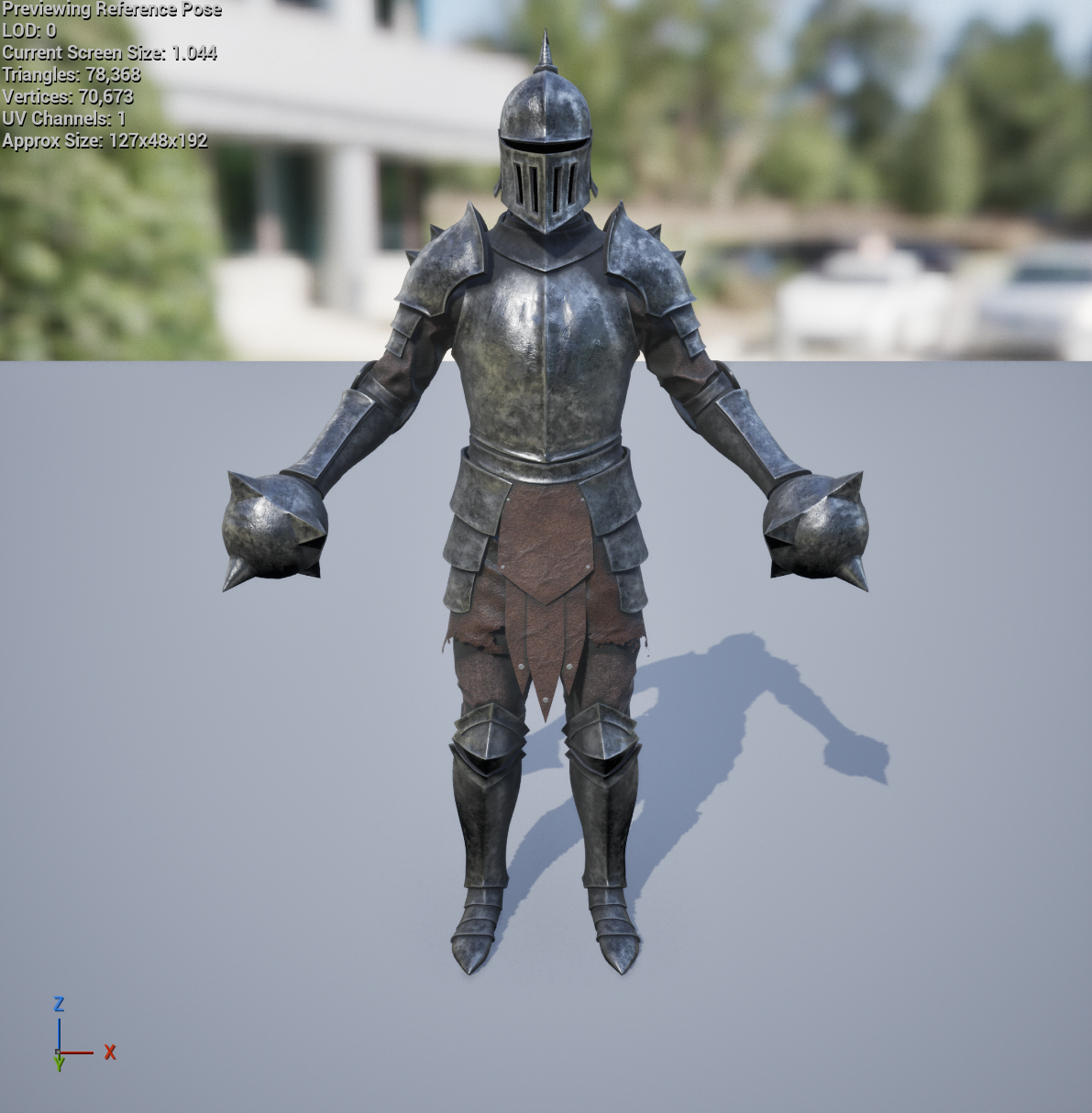

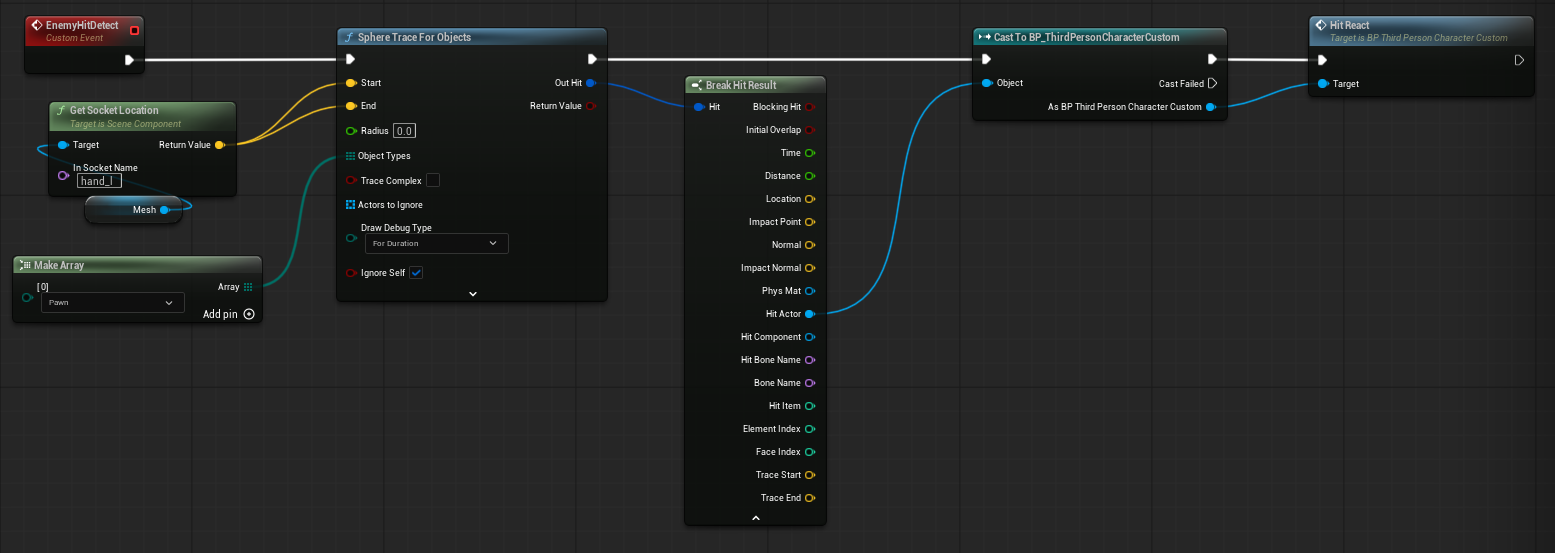
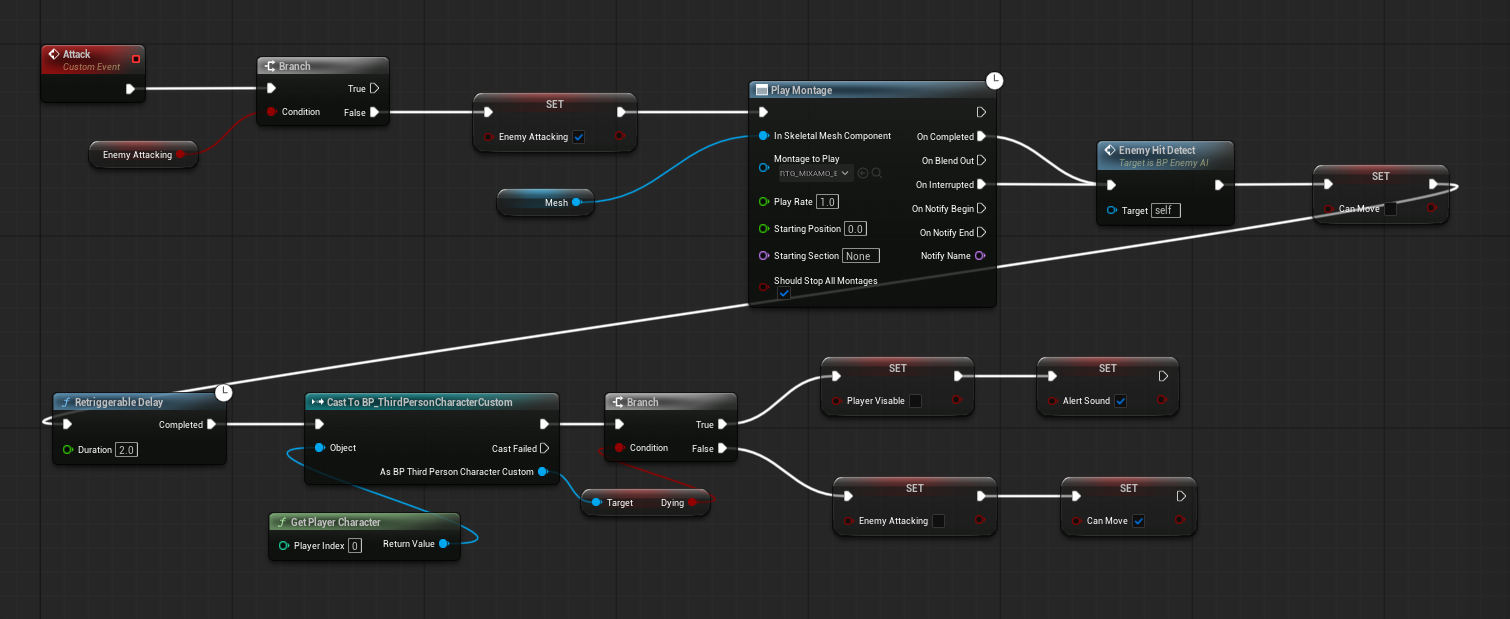
I also reskinned the enemy. I choose the Iron Juggernaut made by Iron Spear. I chose this mesh because I liked that it was nonbinary. I felt like it fit well enough for the enemy. Similarly to the reskin of the player character this reskin was very easy. I followed the same steps and made sure the animations were set up the correct way. The enemy has an attack similar to that of the players however when I set it up the first time the enemy continuously attacked the player making it impossible for the player to escape. The enemy would also attack while the player was dying interrupting the animation making it impossible for game to reset. I decided to add a variable to track if the enemy is attacking. This variable is set to true when it starts to attack and is set to false after a delay and a check to see if the player is currently dying. If the player is dying the variable that tracks if the player is visible is set to false so that the enemy does not see the player. I also decided to make it so that the enemies drop keys for the exit. This allows the player to exit the building without having to go find the other keys hidden in the level. This is important because it helps build tension. The game would not be challenging if the enemies did not harm the player.
Keys and doors
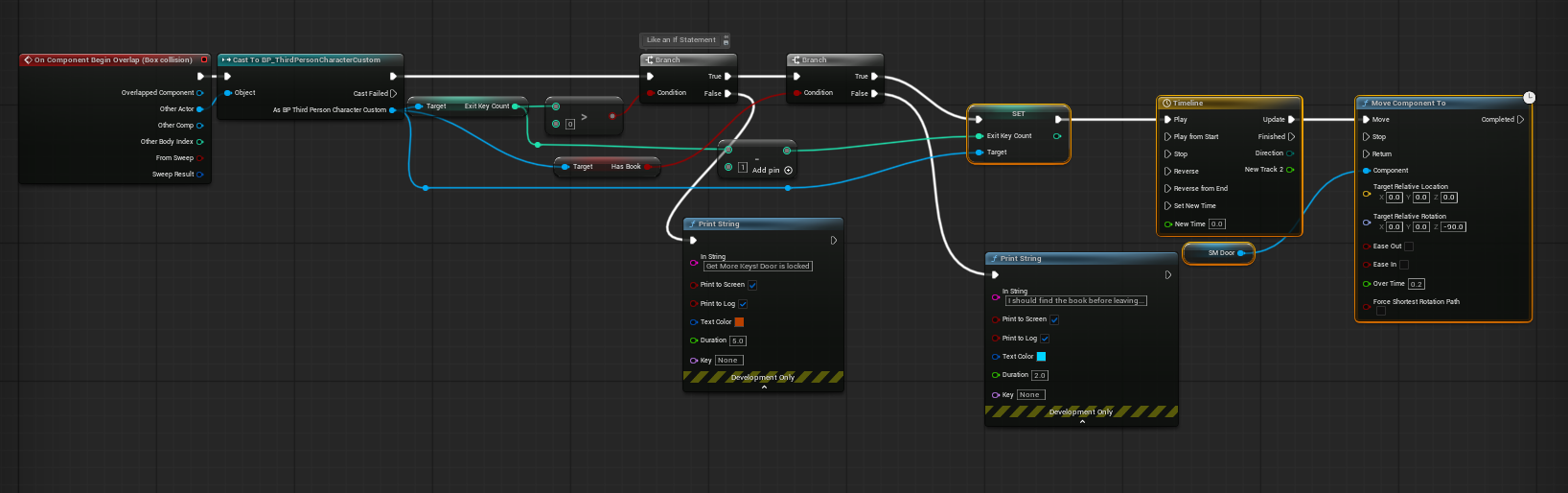
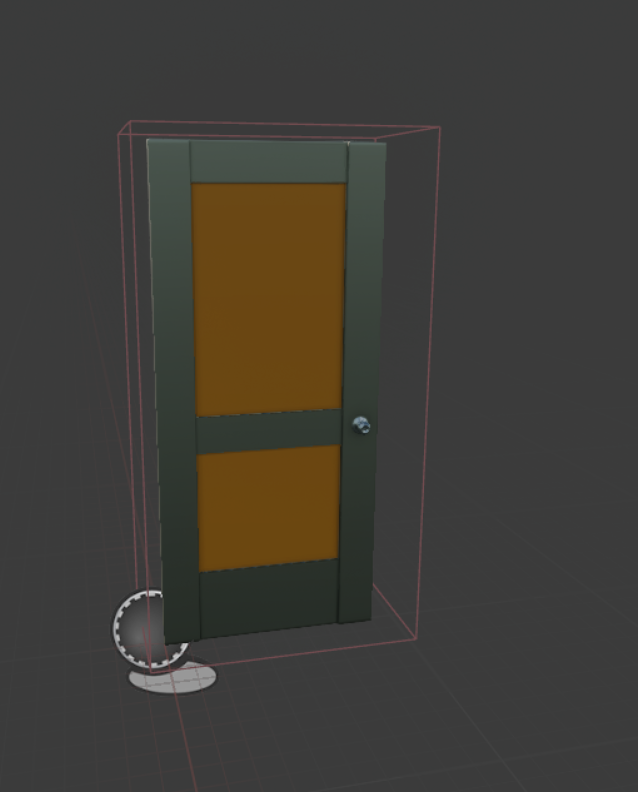
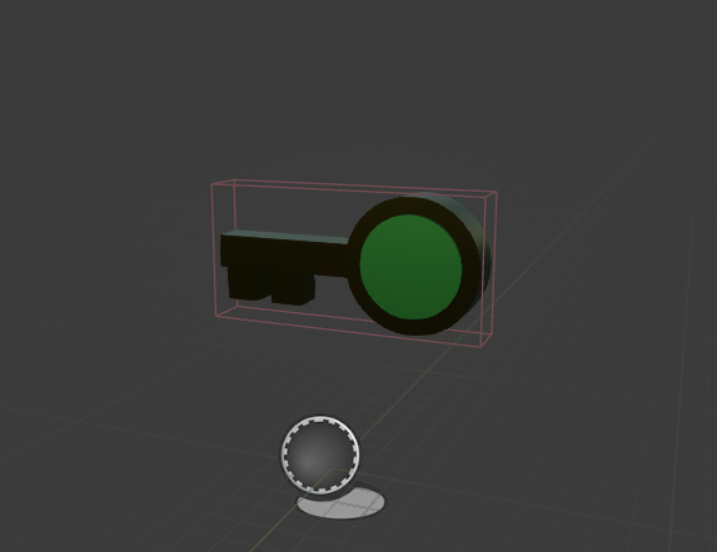
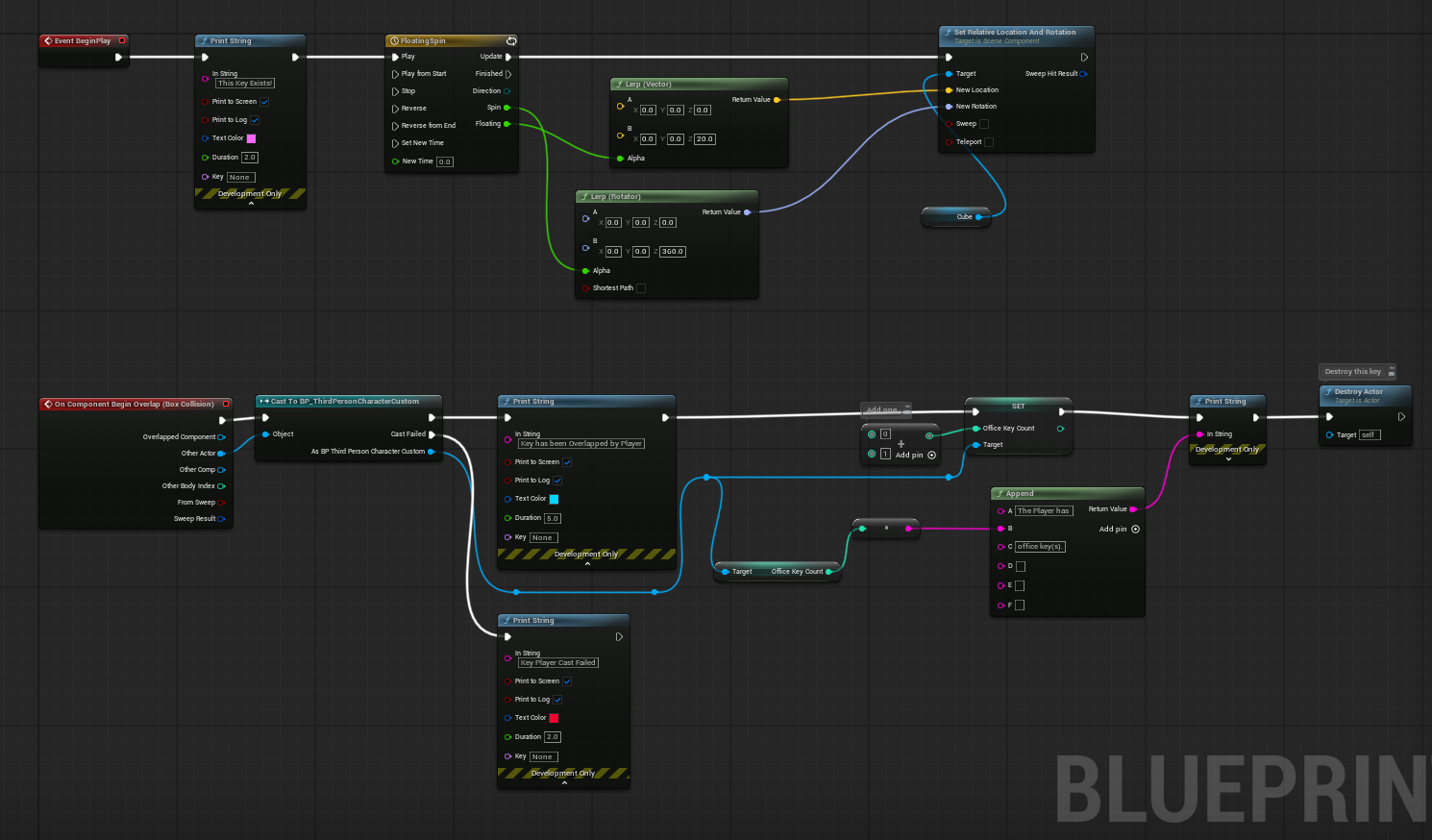
I created a couple of new versions of the key blueprint. These are designed so that they open specific doors and increase separate counters in the player blueprint. These keys have a colored circle in the middle to denote which kind of key they are. I also made it so that they bounced up and down slightly and spun when spawned into the world. The doors to the exit check to see if the player has a specific book or if the player has a certain amount of gold along with checking if the player has the correct key.
Gold Pile
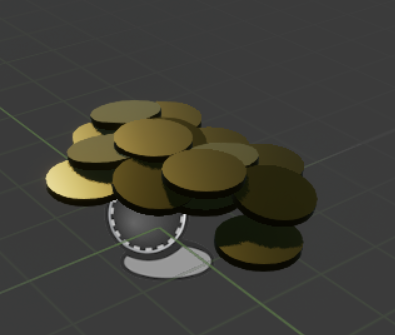
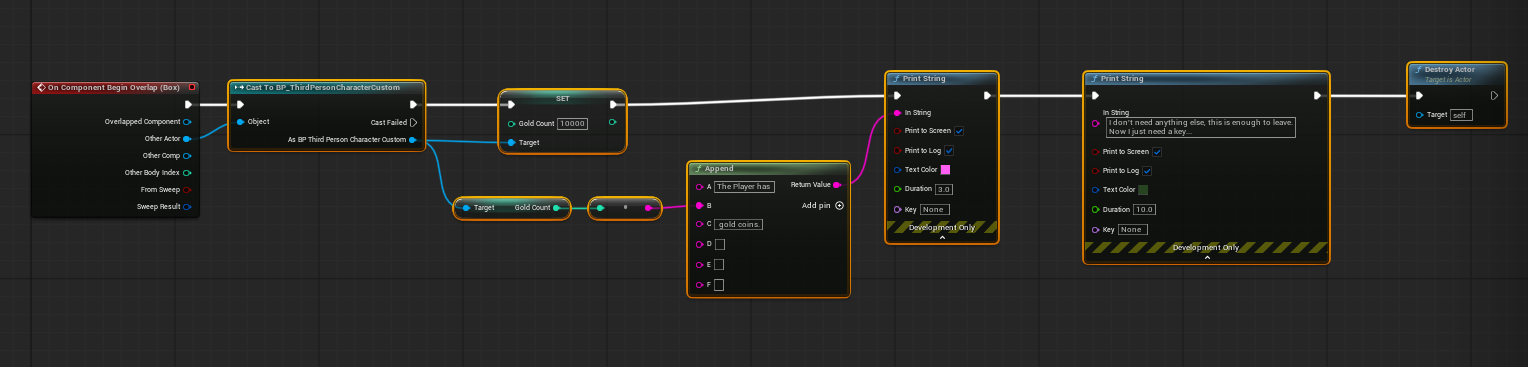
I created a small pile of gold coins that is used to reward the player for exploring the level. The pile can be found on the second floor hidden near a couple of bookshelves. The gold coins also allow the player to skip finding the special book. This is done by allowing the exit doors to open if the player has a certain amount of gold and a key. The thought was that with the amount of gold the character could then buy the book later rather than having to steal the book. This is important because it provides the player with an alternative solution.
Throwable Book
I created a new distraction item similar to a rock that was built in class. I created a static mesh of a book and made it so that it functioned the same as the rock. This is important because a book makes more sense in the level, but it provides the same functionality as the rock.
Win Condition and Book
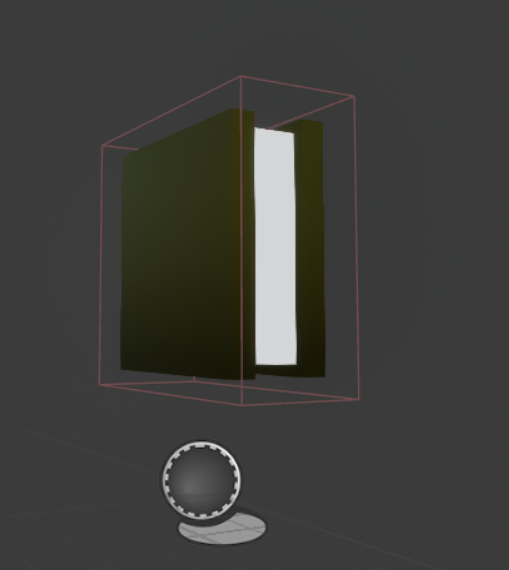
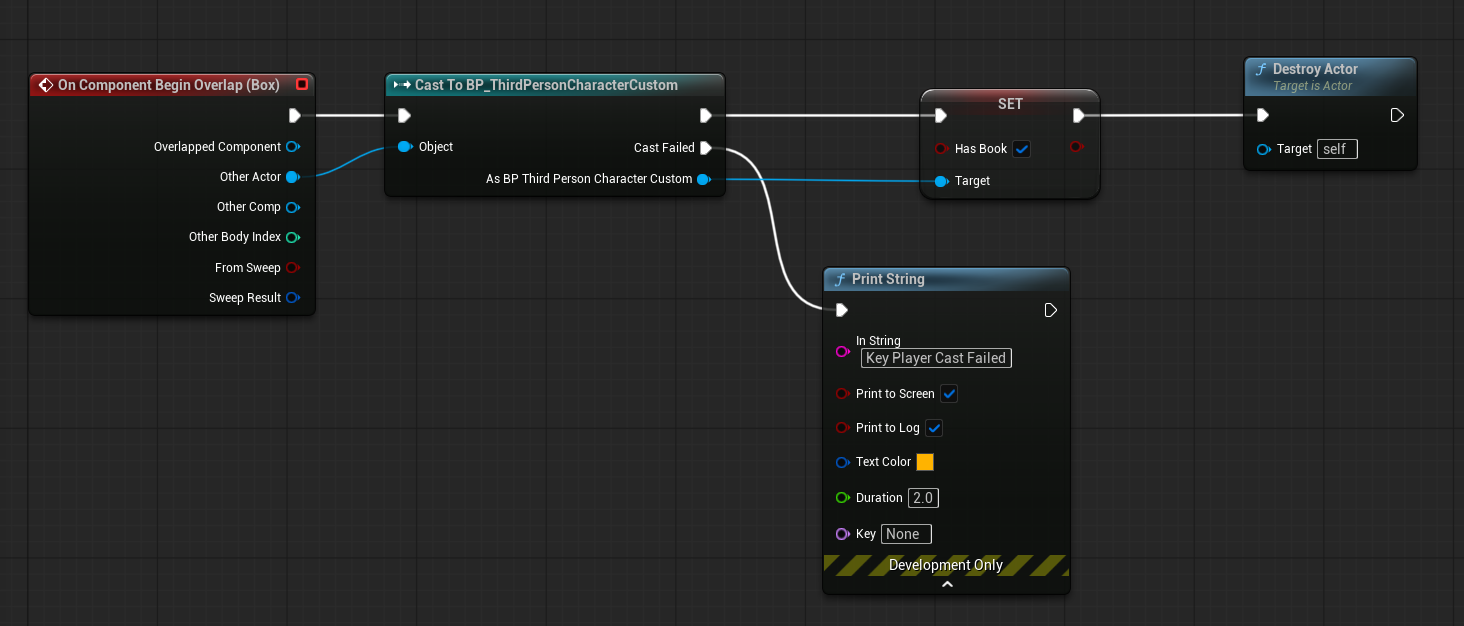
I created a separate book that when the player walked over it the Boolean in the player blueprint called bHasBook is updated to true and the book is destroyed. This item is important because the player's goal in the level is to find this book and escape the house with it. This leads to the win condition. I set up a simple box collision that when the player walks into it it checks if the player has the book or if the player has the correct amount of gold. If the player does then the you win widget is shown on the screen and movement is disabled for the player. The screen then fades to black and the level resets.
Playtesting
Playtesting is a crucial aspect of designing a level. It allows you to get a feel for the level as a whole rather than just the parts. It also helps you ensure the parts are working as they should and helps find the bugs. One bug that was found was a simple animation issue for when the player was supposed to be throwing an object. The character would walk around the way it should have but when the throw button was pressed the character flopped to his back and spun around. After laughing at the unexpected result I found the problem with the animation. I had forgotten to retarget the animation for the character. After fixing this issue it worked as it should.
I had a few others playtest my level and one of the most notable changes was the enemy's sensing of the player. They players noted that the level felt too easy because the enemy's did not sense them even when they were close. I adjusted the hearing and seeing ranges for the enemies so that they could sense the player in a larger area. This made the enemy's more challenging. After fixing this I noticed that the amount of damage the enemies dealt to the player seemed too low. I wanted the damage amount to be fair but still challenging however the enemy had to hit the player multiple times to deal an amount of damage that seemed dangerous. I changed it so that the enemy does double the amount of damage it originally did making it more challenging. The players were also disappointed by the number of exit keys when they play tested the level. Originally there was only one office key and one exit key. I hid a second key on the first floor so that the player could use both exits if they wanted to.
Reflection
Overall this project was a lot of fun to work on. In the future I would like to try to add a mechanic where the player can press a button to pick up items rather than having to run over them. I would also like to add more variation with enemy types with one variation possibly being a boss fight. I learned a lot while working on this project. Thank you for reading my devlog. Definitely check out the new update and I will catch you in the next update. Take care!
Leave a comment
Log in with itch.io to leave a comment.